
Think of it this way: a printer is your everyday workhorse for basic printing, perfect for homes and small offices with light to moderate needs; a photocopier is the speed machine, built for large offices that need to duplicate documents quickly and in high volumes; while an MFP (Multifunction Printer) is the all-in-one powerhouse that prints, copies, scans, and even faxes—making it the smartest, space-saving choice for offices that want maximum productivity from a single device.
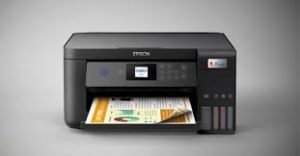
🖨️ Printer
Best for: Basic printing needs
A printer is designed mainly to print documents from a computer or mobile device.
Key features:
- Print only (some models add scanning)
- Usually A4 size
- Lower cost
- Ideal for home or small offices
Limitations:
- Not built for high-volume printing
- Limited paper handling
- Slower for large jobs
👉 Example use: Printing emails, reports, invoices.
📄 Photocopier
Best for: High-volume copying
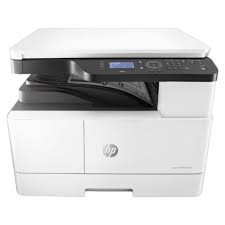
A photocopier is designed to duplicate physical documents quickly, without needing a computer.
Key features:
- Fast copying speed
- Handles large paper sizes (A3 & A4)
- Strong duty cycle
- Built for offices with heavy usage
Limitations:
- Larger size
- Higher power consumption
- Limited smart features on older models
👉 Example use: Copying contracts, manuals, forms in bulk.

🔄 MFP (Multi-Function Printer)
Best for: All-in-one office solutions
An MFP combines printing, copying, scanning, and faxing in one machine.
Key features:
- Print + Copy + Scan + Fax
- Network, Wi-Fi, and cloud printing
- Secure printing (PIN / card)
- Cost-efficient for offices
Limitations:
- More expensive than basic printers
- Needs proper setup and maintenance
👉 Example use: Modern offices, shared departments, businesses.
#tech
The idea of choosing a machine based on your office’s volume and specific needs is spot on. I’ve seen some offices struggle when they pick the wrong device, thinking they can make do with a simple printer!