

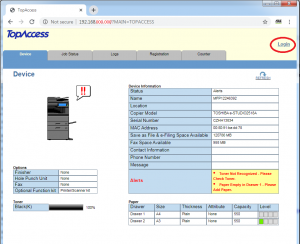
- Log into TopAccess as an admin user, using IP address of the machine.
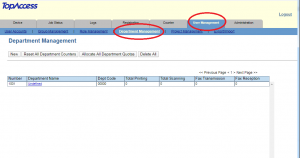
- Go to (USER MANAGEMENT) tab and select (DEPARTMENT MANAGEMENT).
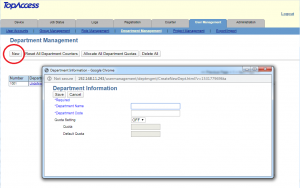
- CLICK (NEW)
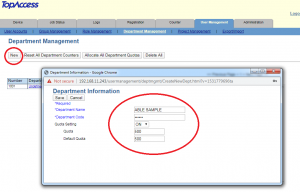
- Fill in the form and click on the (SAVE)
- To turn the features on to tracking (printing or scanning) Please visit ABLE HOME and OFFICE POMbranch.