

Typing faster is one of the many skills computer users are struggling with. The technique really is that each finger has its own area on the keyboard and by mastering it, lets you type faster and without looking at the keys. Let’s start with our sitting position.
Sitting Position
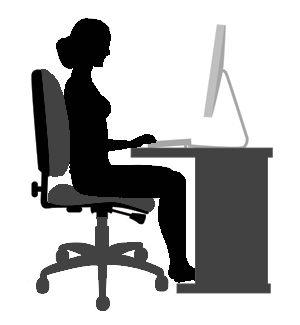
Our previous blogs on Ergonomics taught us how to do this correctly. Next, our finger positions.
Home Row Position

Curve your fingers and place them on the keys ASDF and JKL : or ; while our thumbs sit at the spacebar. This will be the home row keys where the fingers should be placed by default.

Keyboard Scheme

The color in each keys shows which finger to use to press the keys.

In typing always remember these tips
- Hit assigned keys only with the fingers assigned to it.
- Always return to the starting position of the fingers using the home row keys.
- While referring to the assigned keys, always start with the home row keys first, then follow it with the top assigned keys and later the bottom assigned keys.
- Practice exercises that help in keyboard typing.
- Establish and maintain a rhythm while typing. Your keystrokes should come at equal intervals and should not be forced to avoid finger injury.
- The SHIFT key is always pressed by the little finger opposite to the one hitting the other key.
- Use the thumb of whichever hand to press the Space bar.
This method may seem inconvenient at first, but do not stop. Eventually you’ll find out that you are typing quickly, easily and comfortably.