
USB-A is the most commonly known USB type. USB flash drive can only be inserted into one direction only as compared to USB-C type. It has a thin, rectangular cross-section and is generally used for the host end of the connection.
USB-A flash drive

Thus, USB-A ports may be found on laptops, desktops, media players, or game consoles. Not only is the directionality a problem for older USB cables, but they also don’t support the same level of charging.
USB-C flash drive
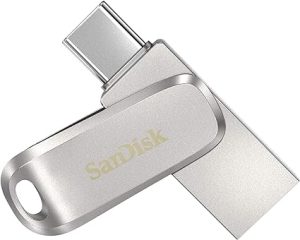
USB-C is fully bi-directional. At the simplest level, this means that both ends of the cable are physically the same, so there is no distinction between host and receptor. USB-C’s reversibility entails bi-directional charging, meaning that, in principle, at least, it’s possible to charge any device from any other.
Key differences between normal USB flash drive USB-A & USB-C type
Connector shape: Normal USB flash drives have a rectangular Type-A USB connector, while USB-C flash drives have a oval-shaped USB-C connector. This allows USB-C drives to plug into USB-C ports on newer computers and devices.
Power delivery: USB-A ports connected into USB v2.0 connection is 500mA at 5v, USB v3.x is 900mA at 5v. USB-C connectors can deliver more power for charging devices
Speed: USB-C supports USB 3.1 and Thunderbolt 3, which allows for much faster data transfer speeds compared to USB 2.0 used on most standard USB flash drives. USB-C drives can have read/write speeds up to 10Gbps or more.
Reversibility: USB-C connectors are reversible, meaning there is no “right side up” – you can plug them in either way. Normal USB connectors only plug in one way.
Dual flash drive
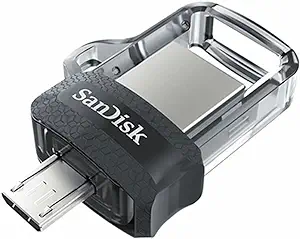
is a term that we use for the USB Flash Drives that we have designed with two different types of USB connectors. USB Type-A and USB Type-C in one single USB Drive. This helps you in using the USB Drive in two different devices one at a time like a computer and a mobile phone.